Binance Futures · Long + Short

A grid bot that trades both sides of the market, every hour of the day.

DualGridBot places long and short orders at fixed price levels on Binance Futures, capturing moves in either direction without you watching a chart. You keep full control of your exchange account — the bot only ever trades through your own API key.

Configure grid settings on up to two symbols of your choice, and run long only, short only, or both directions at once on each.

Your API keys never leave your computer. The bot runs locally and connects directly to Binance — we never see or store your exchange credentials.

Free · 15 days · No payment

Try DualGridBot free for 15 days on your own Binance account.

The full bot, a full subscription — trading your own Binance Futures account with real orders. See how the grid trades in your account before you pay anything. Want to learn how the bot works first? Switch to Paper mode in the app's settings and try it risk-free with a virtual balance — no real orders are placed.

  • Full subscription, all features
  • No payment, no card
  • Windows & Android

1. Create a free account  →  2. Download the app  →  3. Tap Activate Trial and enter the code we email you

Manage your risk. Sit back and let it run.

Position size and margin are what decide how a grid strategy actually performs — set them carefully and you're managing risk the way a grid bot is meant to be used. With the right settings in place, the gains are built to add up patiently over time.
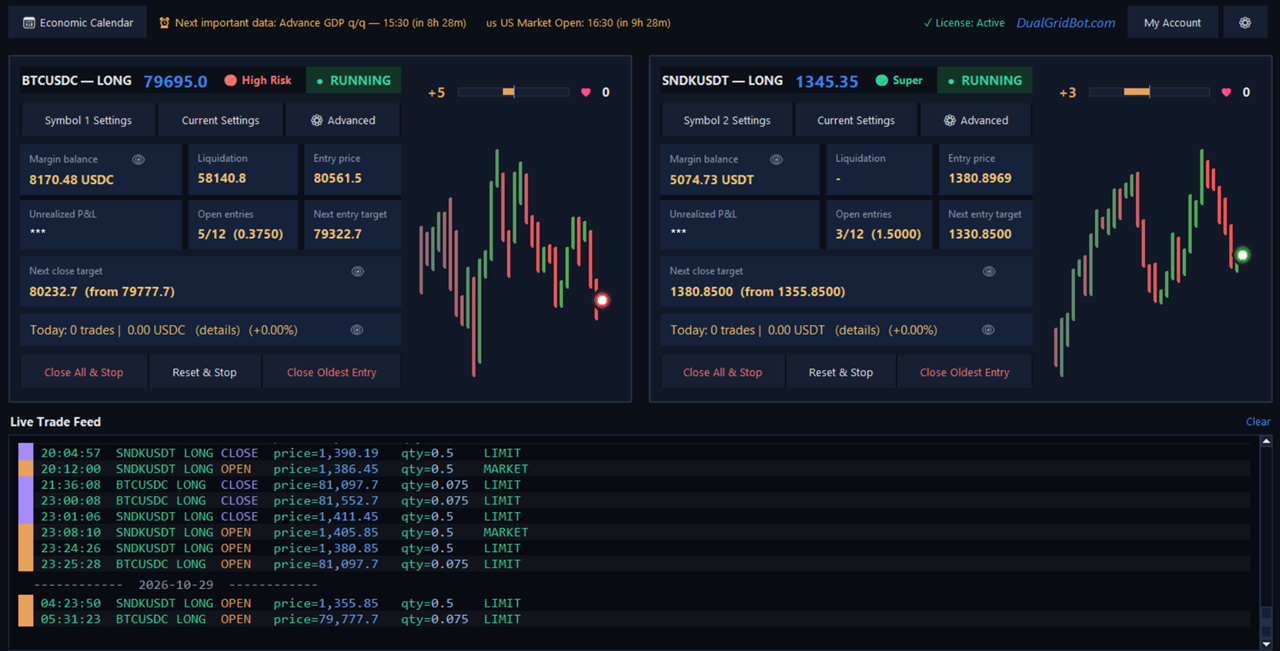
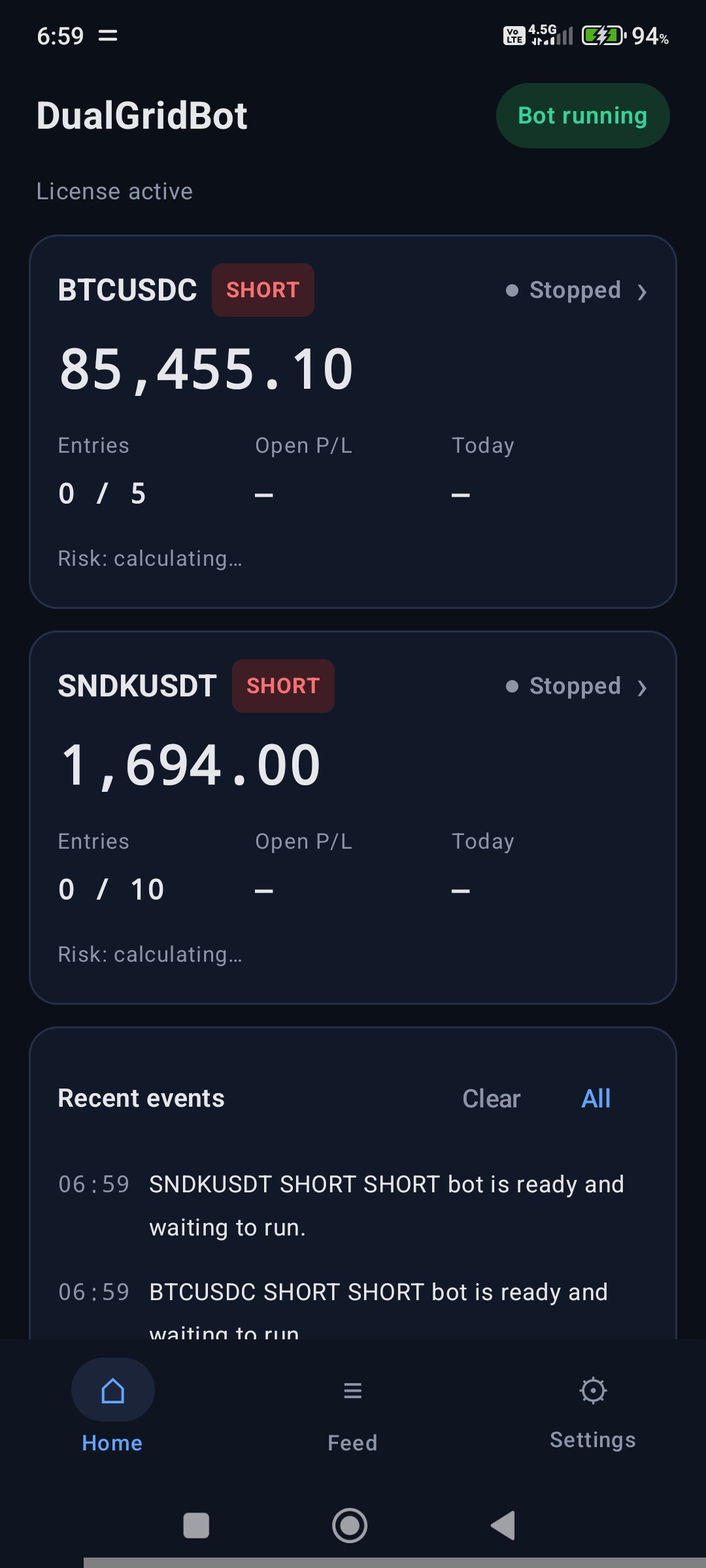
DualGridBot desktop app running two long grid panels with the live trade feed DualGridBot Android app home screen showing two bot panels
Desktop app

Full control on your computer.

Set up both symbols, fine-tune your grid, and follow every fill in the live trade feed. The bot runs on your own machine and talks directly to Binance.

Download the Bot
Also on Android

Your bot, in your pocket.

Watch your panels live, start and stop your bots, and get alerts when something happens — no computer needed. Your subscription covers one computer and one phone at a time, so you can switch whenever it suits you.

Get the Android App
Performance

Built from a strategy refined over two decades of live trading.

DualGridBot's grid logic comes from years of the founder's own manual trading — it was automated, not invented overnight. Detailed track record and live results are being prepared and will be published here.

A note on results. Any performance figures shown on this site, now or in the future, are historical or illustrative and do not guarantee future returns. Grid trading can lose money in strongly trending markets. Only trade with funds you can afford to lose.
Security

You stay in custody of your funds. Always.

DualGridBot is designed so there's nothing of yours for us to lose.

01

Runs on your computer

The bot is a desktop application. It runs on your own machine and talks directly to Binance — your orders never pass through our servers.

02

Your API key stays local

Your Binance API key and secret are stored only in a local file on your computer. We never receive, transmit, or store them anywhere.

03

No withdrawal access needed

Create your Binance API key with trading permission only, withdrawal permission off. Even in the worst case, funds can't leave your account through the bot.

How it works

From sign-up to your first grid in four steps.

Want to see how the grid actually trades? Watch the animated grid simulator →

01

Sign up and try it free

Create a free account, download the bot and start a 15-day free trial from inside the app — a full subscription on your own Binance account, no payment needed.

02

Subscribe when you're ready

Subscribe with USDT and activate the full version in the app with the Subscriber ID and Activation Key you receive.

03

Connect your Binance API key

Add a trading-only API key (no withdrawal permission). It's saved locally, never sent to us.

04

Set your grid and go

Choose your symbol, grid size, and position size. The bot manages long and short entries automatically from there.

The first time you open the bot, it shows live prices and two buttons: Activate Trial starts the free 15-day trial with just your email (then add your Binance API keys to start trading); Activate Full Version asks for your exchange API keys and the Subscriber ID and Activation Key that were emailed to you when you subscribed (also shown on your Account page). For a walkthrough with screenshots, see our Setup Steps page.
Setup steps

Installing and setting up the bot.

To learn how to install DualGridBot on your computer and how to make the required settings, you can get all the information on our Setup Steps page — with annotated screenshots that show exactly what each field and button does.

View the Setup Steps
Pricing

Simple subscription pricing.

Paid in USDT (BNB Smart Chain). Runs up to two bot instances (e.g. two symbols) on one computer, under a single subscription.

1 Month
$30 / month

Pay monthly, cancel anytime.

Subscribe
6 Months
$180 / 6 months

Same monthly rate as the 1-month plan — pay once, run for half a year.

Subscribe
BEST VALUE
1 Year
$300 / year

Works out to $25/month — a full 2 months free compared to paying monthly.

Subscribe

Want to try it first? Create a free account, download the bot and start a free 15-day trial on your own Binance account right in the app — no payment needed. Already used your free trial? Send any amount from 1 to 5 USDT and get that many days (1 day per USDT). Start a paid trial

Currently supported

Binance Futures, with more on the way.

DualGridBot currently trades on Binance Futures only. Support for additional exchanges may be added in the future.